Help › Correspondence and the email dropbox
Correspondence and the email dropbox
The email dropbox files copies of emails in blocsmart, against the right flat, person or issue, so everyone can see what’s been said. You send email from your own mailbox as usual and BCC a dropbox address.
How the dropbox works
There are three kinds of dropbox address. They all end in your building’s own dropbox domain.
| Address | Files the email against | Where to find it |
|---|---|---|
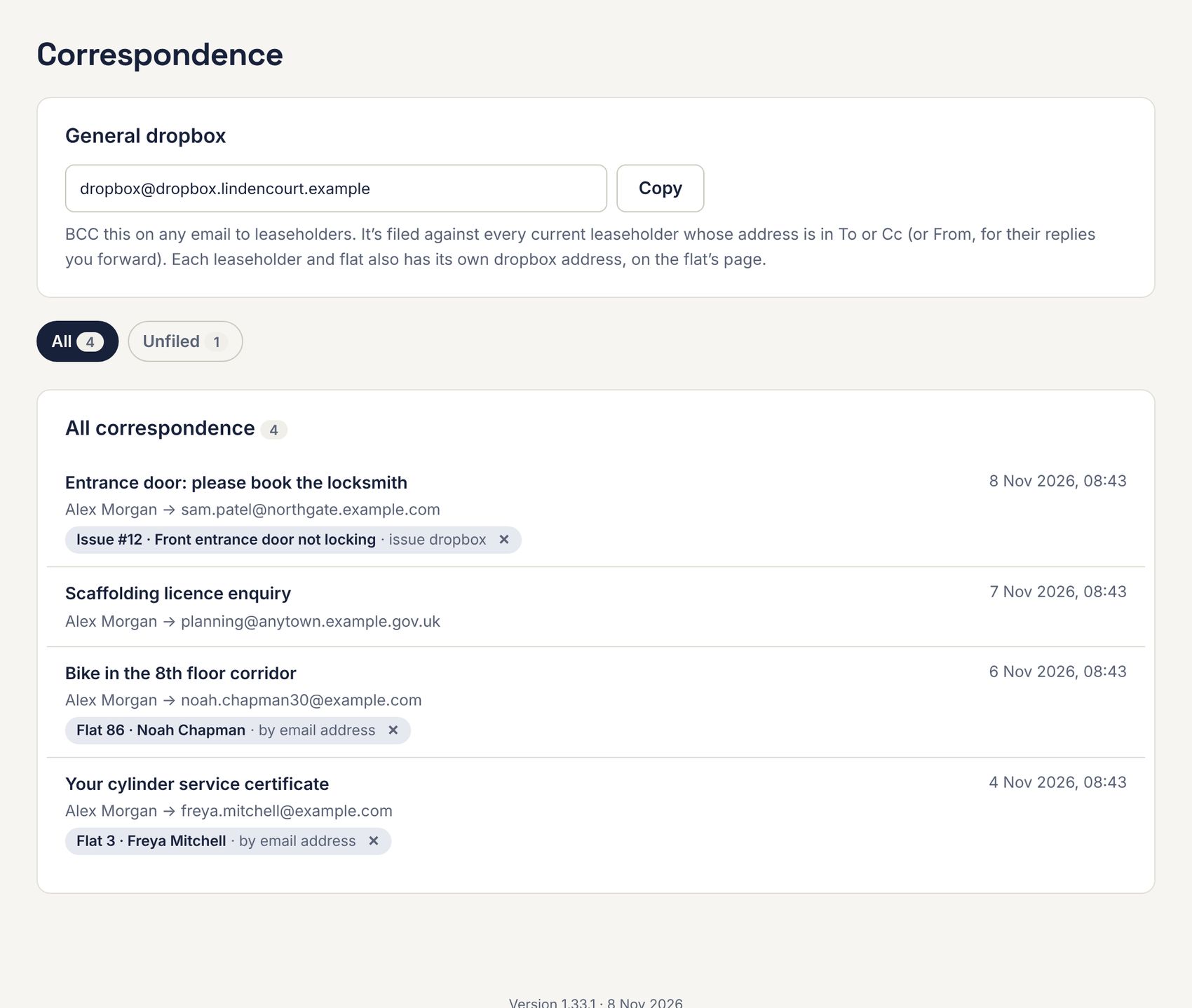
| dropbox@… (the general address) | Every current leaseholder or tenant whose email address is in To or Cc (or From, for a reply you forward). Someone with two flats gets it filed under both. | Correspondence page, and each flat page |
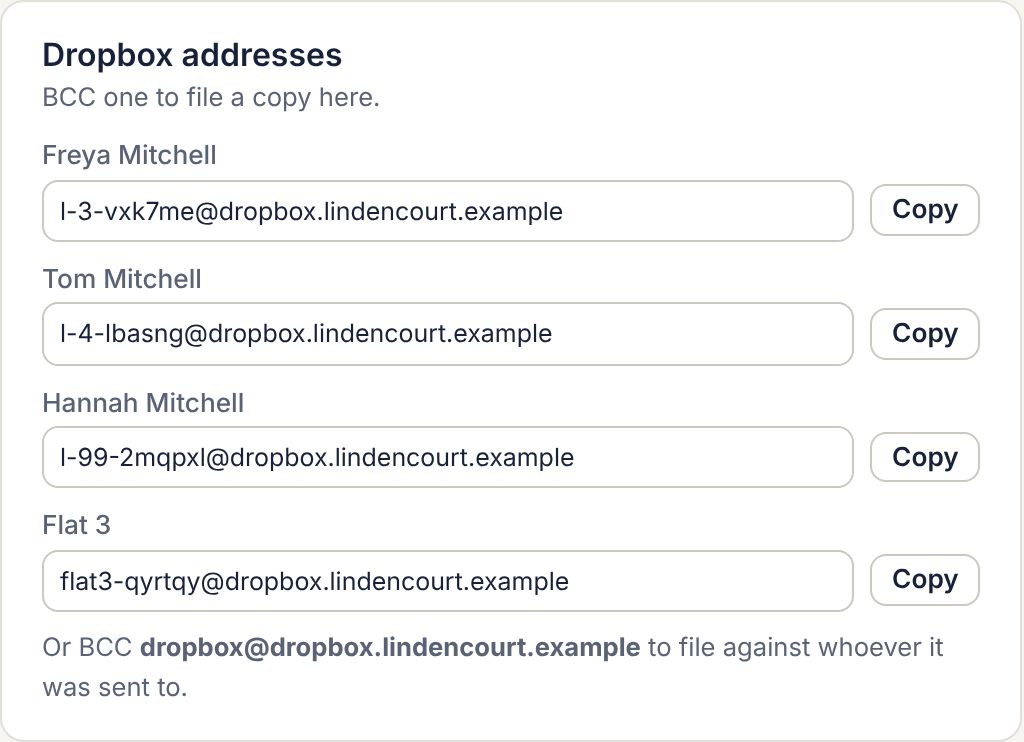
| A person’s address | That leaseholder or tenant. | The flat page, under Dropbox addresses |
| A flat’s address | The flat itself, whoever lives there. | The flat page |
| An issue’s address | That issue. It appears in the issue’s timeline. | The issue page, under Emails (see Following, documents and emails) |
- Write your email as normal, from your own email account.
- Press Copy next to the address you want in blocsmart, and paste it into the email’s BCC line.
- Send it. A copy appears in blocsmart within a minute or so.
Only copies sent from dashboard users’ own addresses, or from the RTM company’s and managing agent’s email domains, are accepted; anything else is bounced back. The same email sent to two dropbox addresses is stored once.
The Correspondence page
Go to Leaseholders › Correspondence to see every filed email, newest first, with what it’s filed under. Each flat’s page also lists its own correspondence.
Unfiled emails
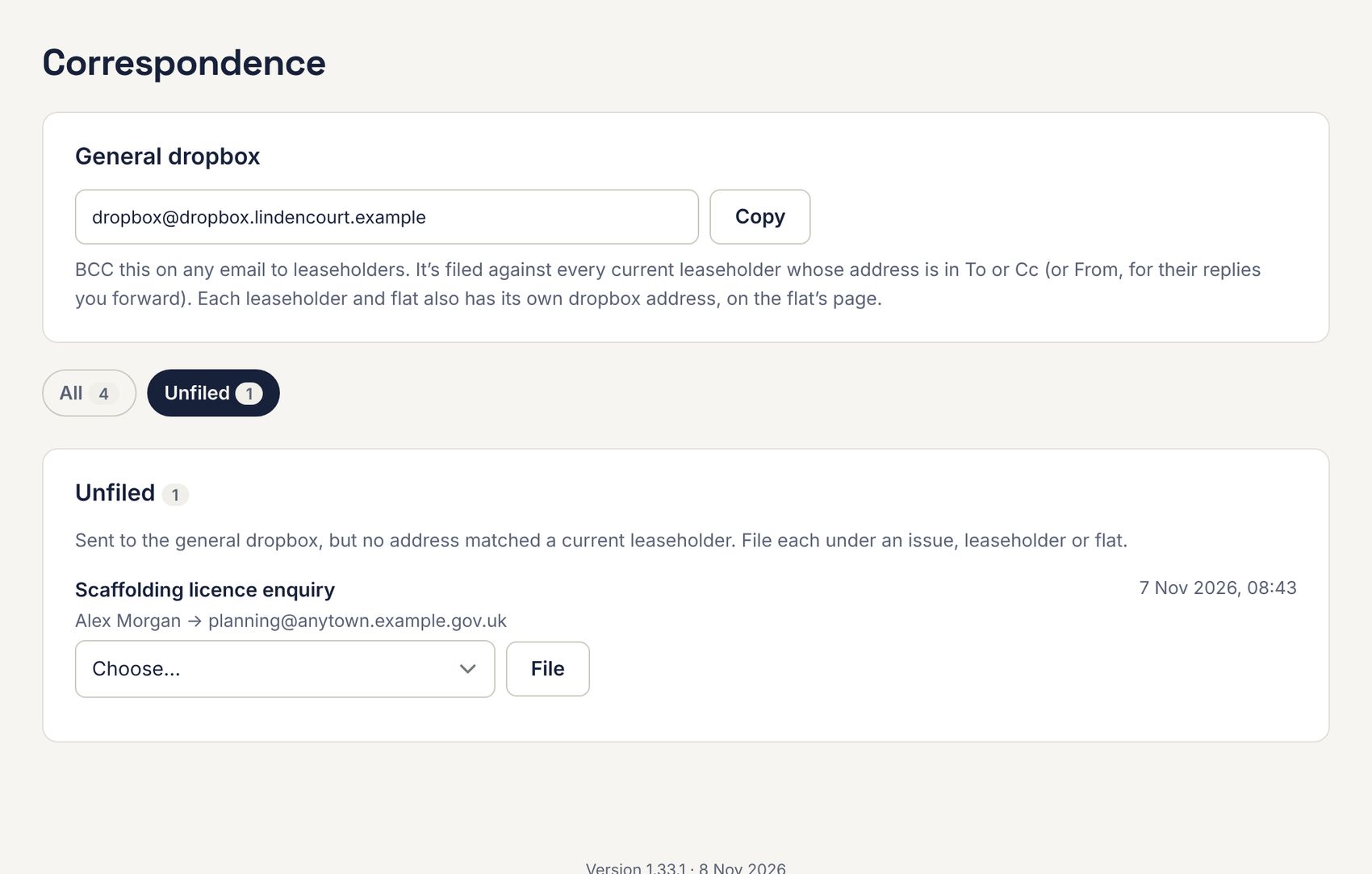
An email sent to the general address that doesn’t match anyone goes to Unfiled. Choose a flat, person or issue under Choose… and press File.
An email’s page
Click an email to open it. You’ll see who it was from and to, the text, any attachments, a formatted version (with remote images blocked), and Download original email (.eml).
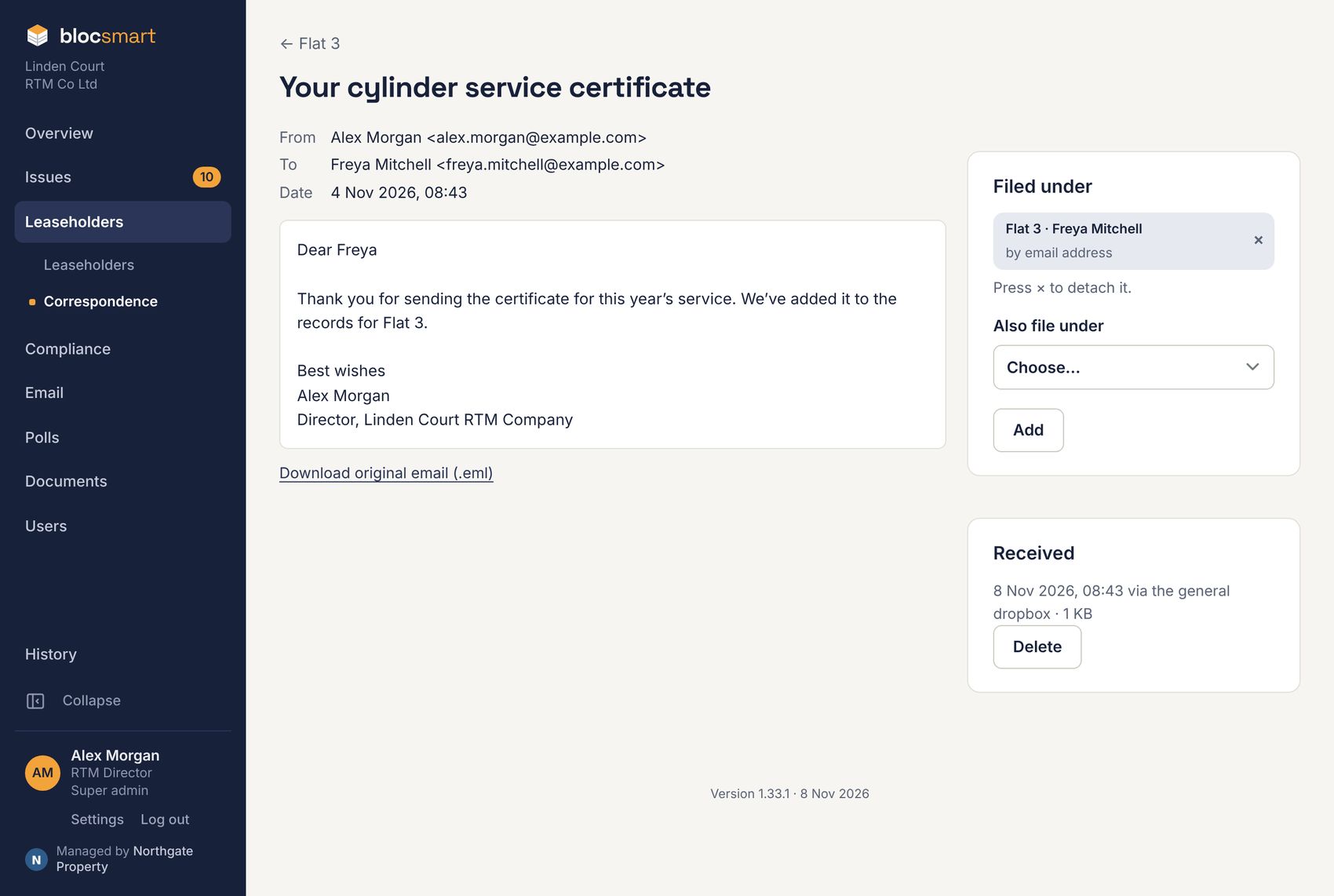
- Filed under lists the flats, people and issues it’s filed against. Press × on a chip to detach it.
- Also file under files it against another flat, person, or an open issue (or one closed in the last 90 days).
- Replies that quote an earlier filed email fold the quoted part away (Show it opens it) and link to the earlier email.