Help › Hot water cylinders
Hot water cylinders
Each flat’s hot water cylinder (DHW cylinder) needs servicing every 12 months. blocsmart records each service and its certificate, when the cylinder was last replaced, and shows at a glance which flats are compliant, due or overdue.
Service status
A flat’s status comes from its most recent service. The next service is due 12 months after it.
| Status | Meaning |
|---|---|
| Compliant | Serviced within the last 11 months. |
| Due soon | In the 12th month: due within a month. |
| Overdue | More than 12 months since the last service. |
| No service recorded | No service has been recorded for this flat. |
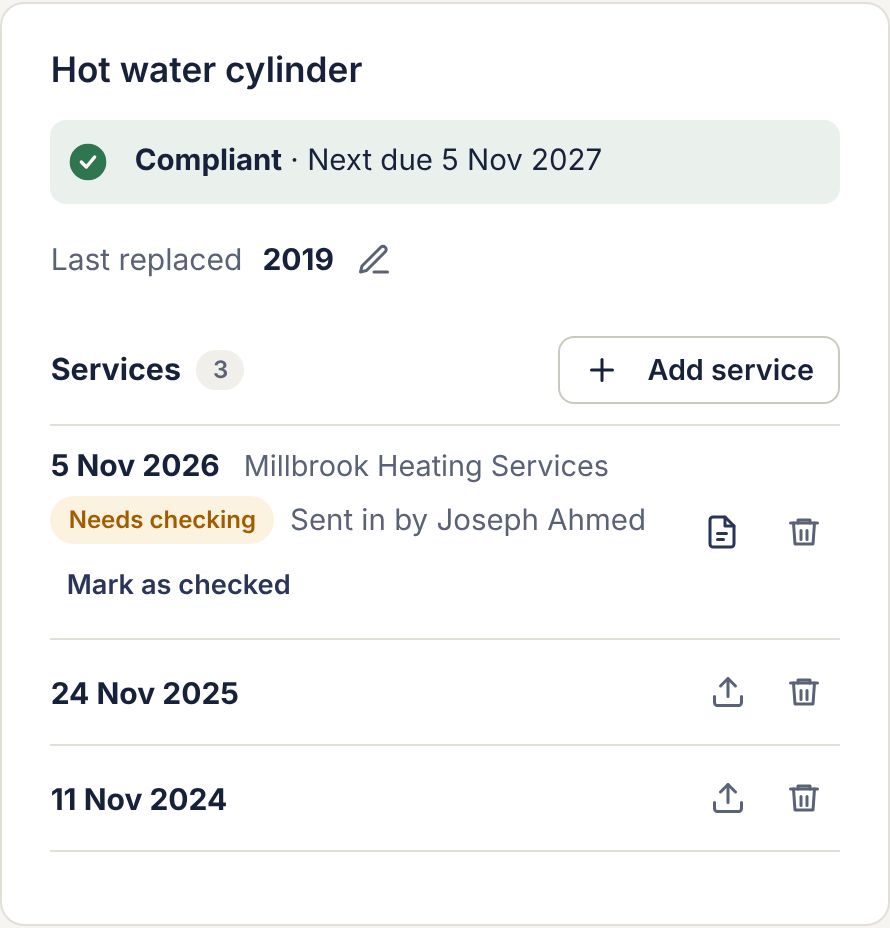
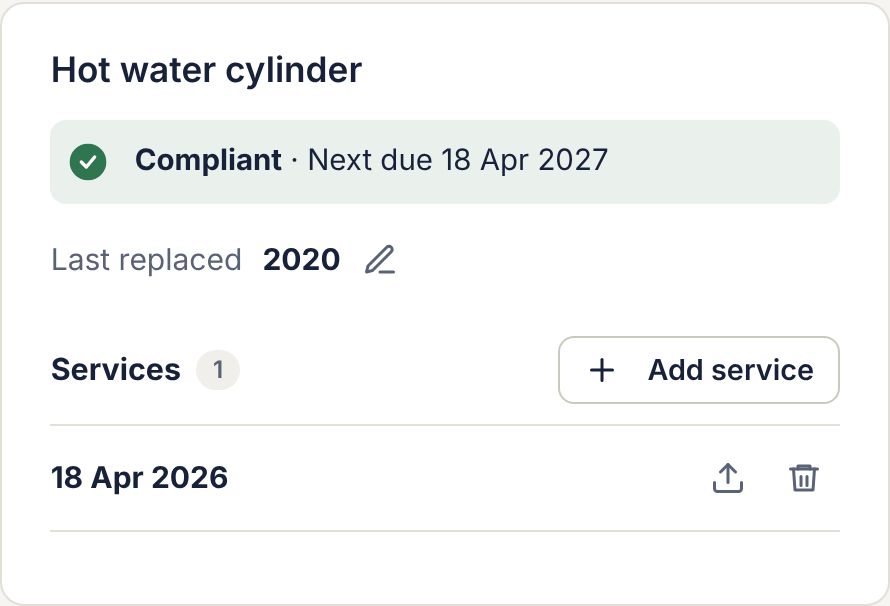
The status shows as a banner in the flat’s Hot water cylinder panel, with the next due date.
The DHW cylinders page
Go to Compliance › DHW cylinders.
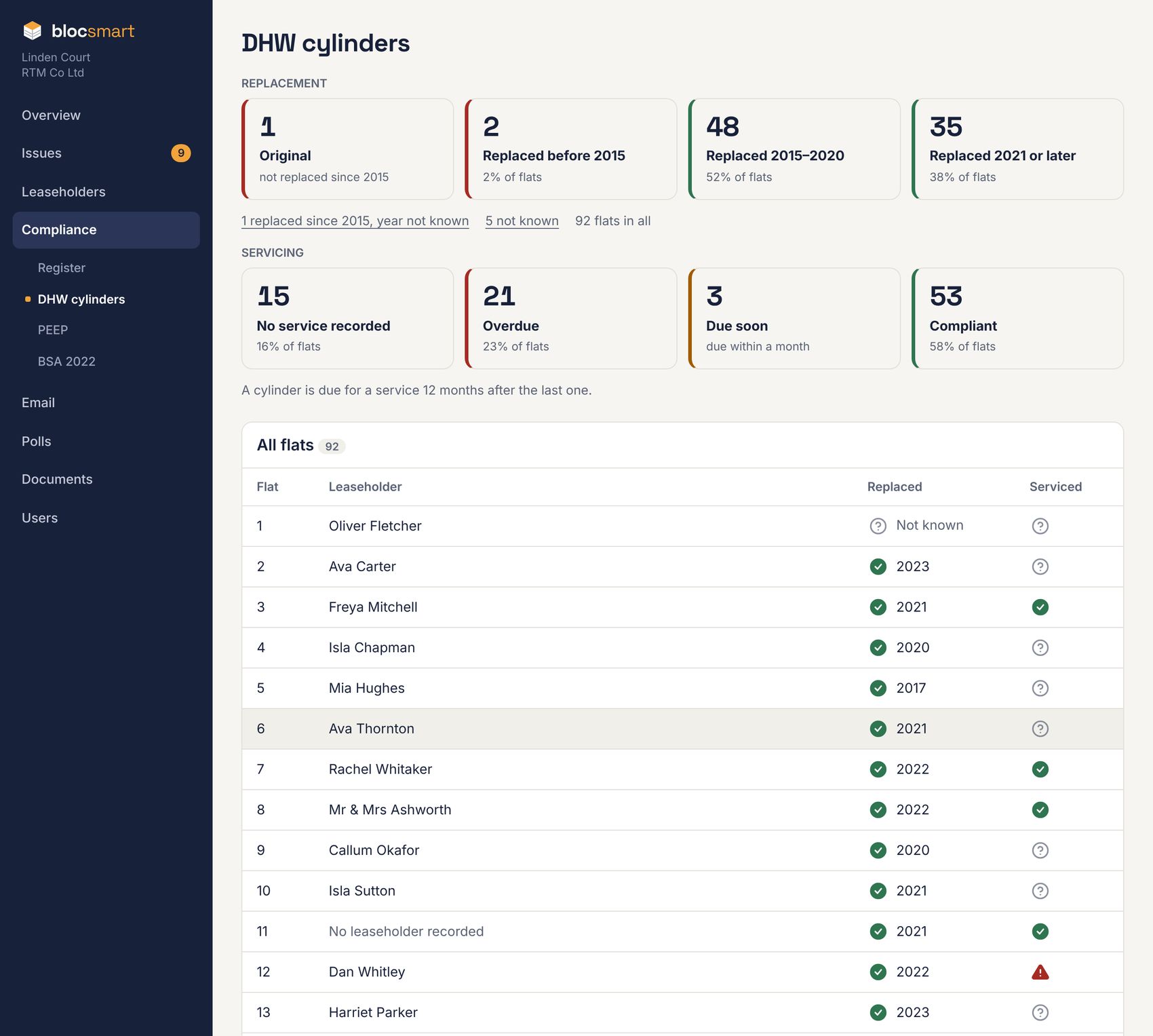
- Replacement tiles count flats with the original cylinder (not replaced since 2015), one replaced before 2015, 2015–2020, and 2021 or later. Links underneath list flats replaced since 2015 with no year, and those not known.
- Servicing tiles count flats with no service recorded, overdue, due soon and compliant.
- Click a tile to list just those flats, and a flat to open it.
When the cylinder was last replaced
- In the flat’s Hot water cylinder panel, press the pencil next to Last replaced.
- Choose Not known, Not replaced since 2015, or Replaced. For Replaced, choose the year, and the month if you know it.
- Press Save.
Adding a service
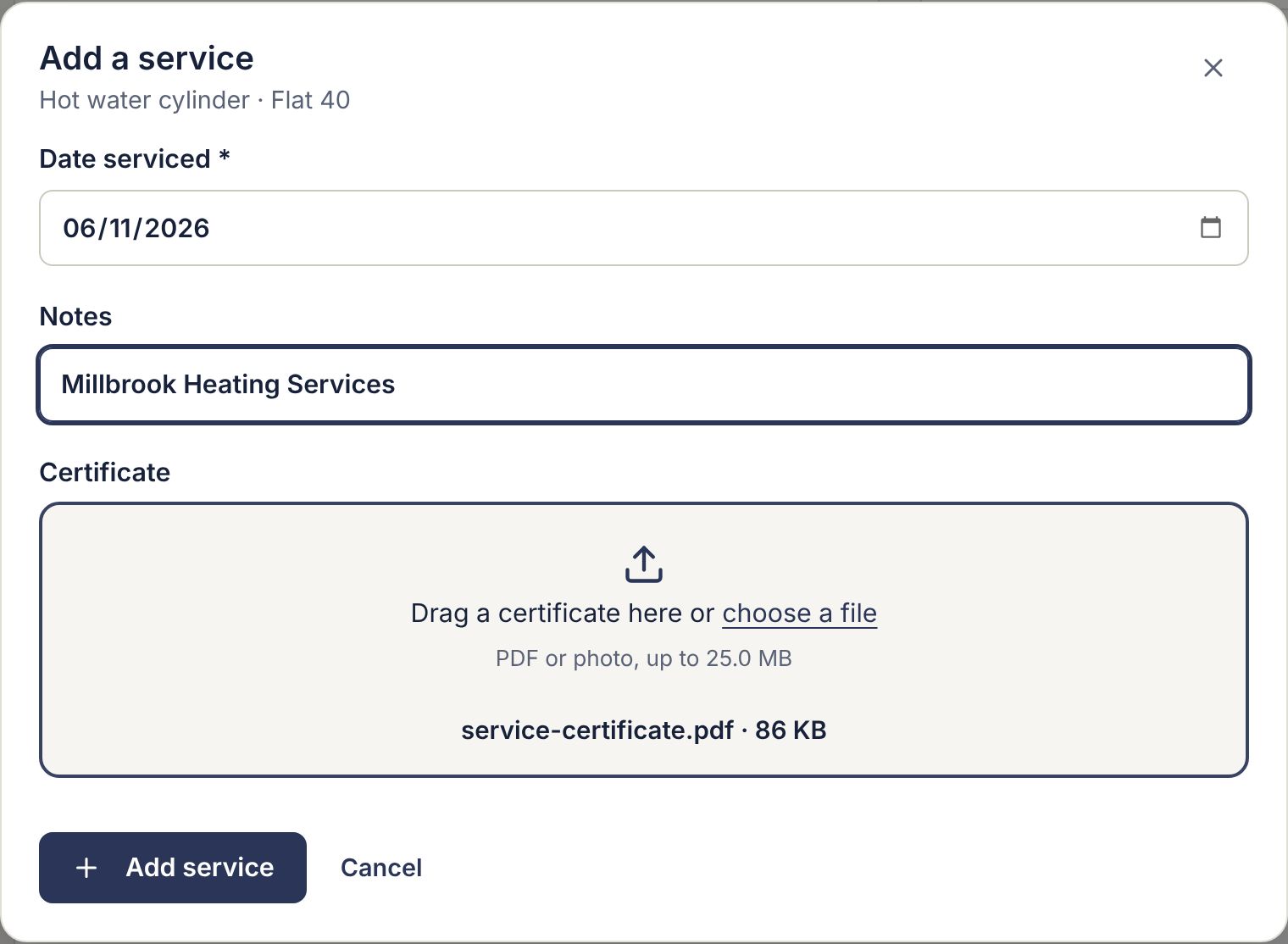
- In the flat’s Hot water cylinder panel, press Add service. A small window opens.
- Enter the Date serviced (it can’t be in the future).
- Optionally add notes, such as the engineer’s company.
- Drag the certificate onto the box, or click to choose it (PDF or photo).
- Press Add service.
The service appears in the list, newest first, and the status updates straight away.
Certificates
- Press the document icon next to a service to view its certificate, with Download.
- A service with no certificate shows an upload icon (arrow pointing up): press it to add one.
- To replace or remove a certificate, open it and press Replace or remove.
- Press the bin to delete a service; its certificate goes too (kept for 30 days).
Deleting the latest service changes the flat’s status and due date, and may restart its service reminders.
Checking certificates sent in by leaseholders
Leaseholders can send their own service date and certificate from a link in a service reminder (see What leaseholders see). These count straight away, but are flagged Needs checking and listed in a bar at the top of the Leaseholders list.

- Click the flat number in the bar to open the flat.
- Open the certificate next to the service marked Needs checking.
- If it’s a valid certificate for that flat and date, press Mark as checked.
- If it’s wrong, delete the service and contact the leaseholder.