Help › Documents
Documents
Documents is a shared library for minutes, insurance certificates, reports, contracts and anything else the directors and managing agent need to find again.
The documents list
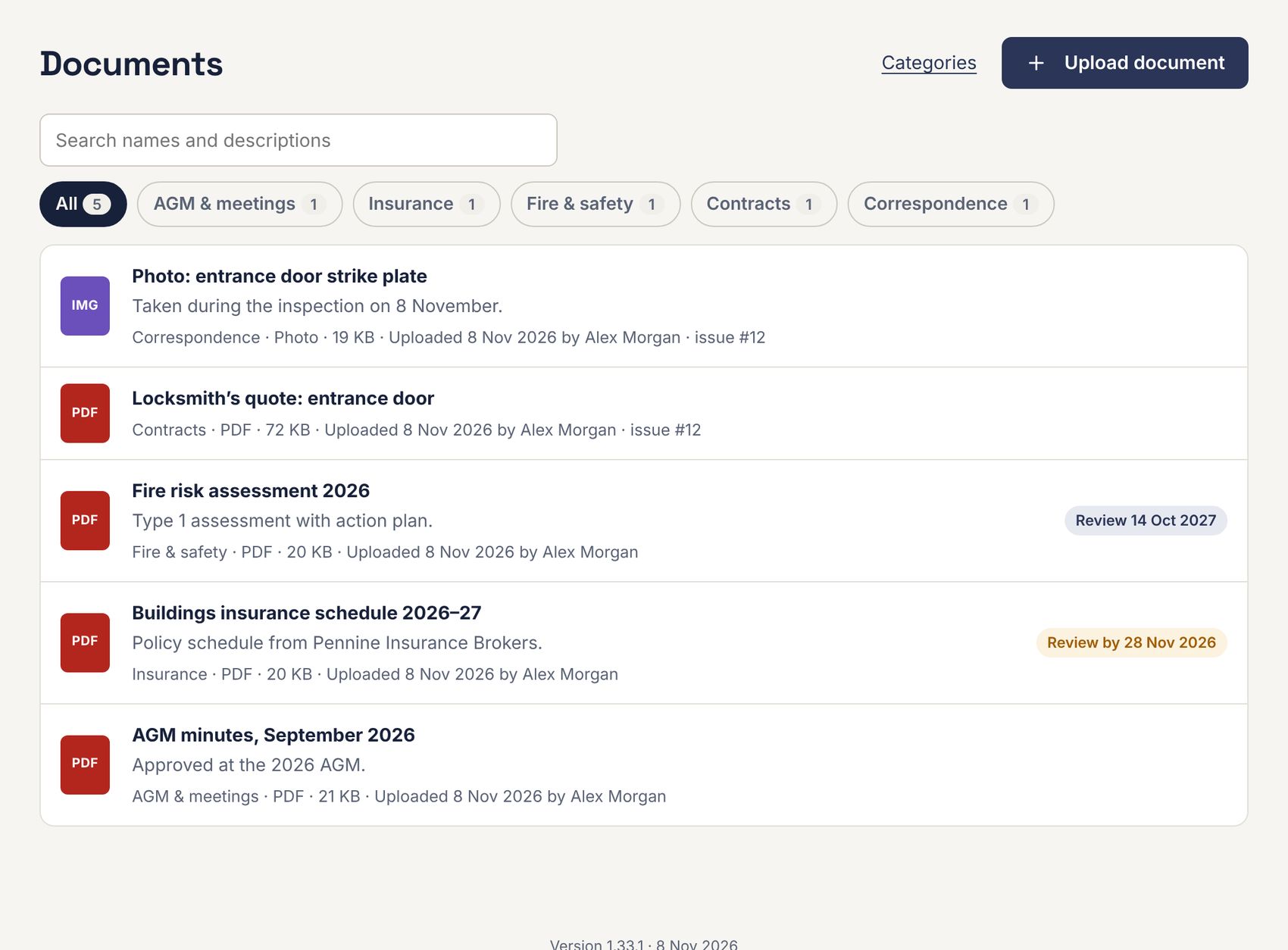
Filter by category with the buttons, or search names and descriptions. A review date shows as a badge: amber within a month, red once passed.
Uploading a document
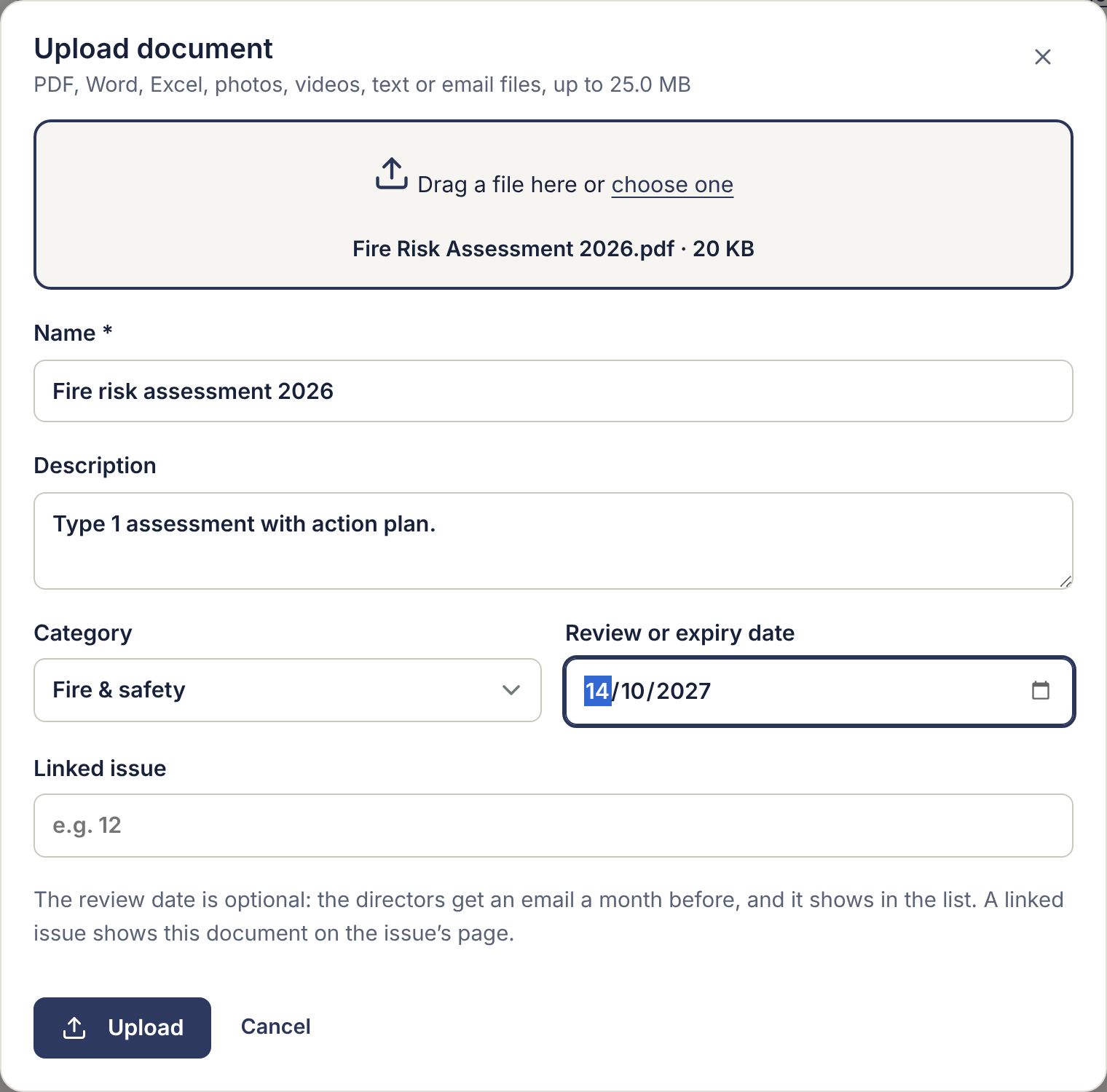
- Press Upload document.
- Drag the file onto the box or click to choose it: PDF, Word, Excel, photos, videos, text or email files, up to 25 MB.
- Give it a Name, a Description if useful, and a Category.
- Optionally set a Review or expiry date: RTM Directors get an email at 9am a month before. Enter an issue number under Linked issue to show it on that issue.
- Press Upload.
A document’s page
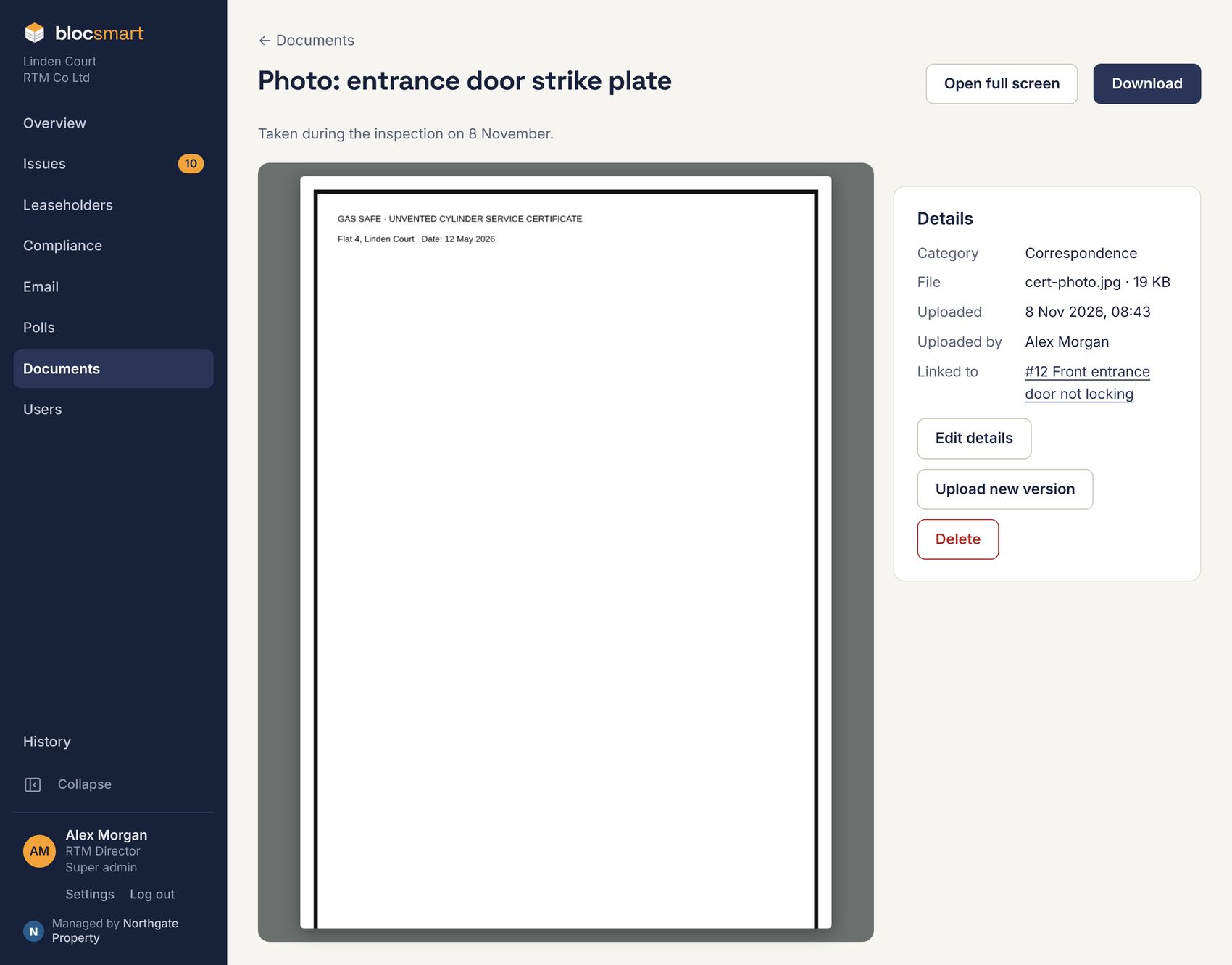
- PDFs, photos and videos are previewed; press Open full screen or Download. Word and Excel files can be downloaded.
- Edit details changes the name, description, category, review date or linked issue.
- Upload new version replaces the file. The link stays the same and earlier versions are kept.
- Delete removes it, after a confirmation. The file is kept in storage for 30 days.
Categories
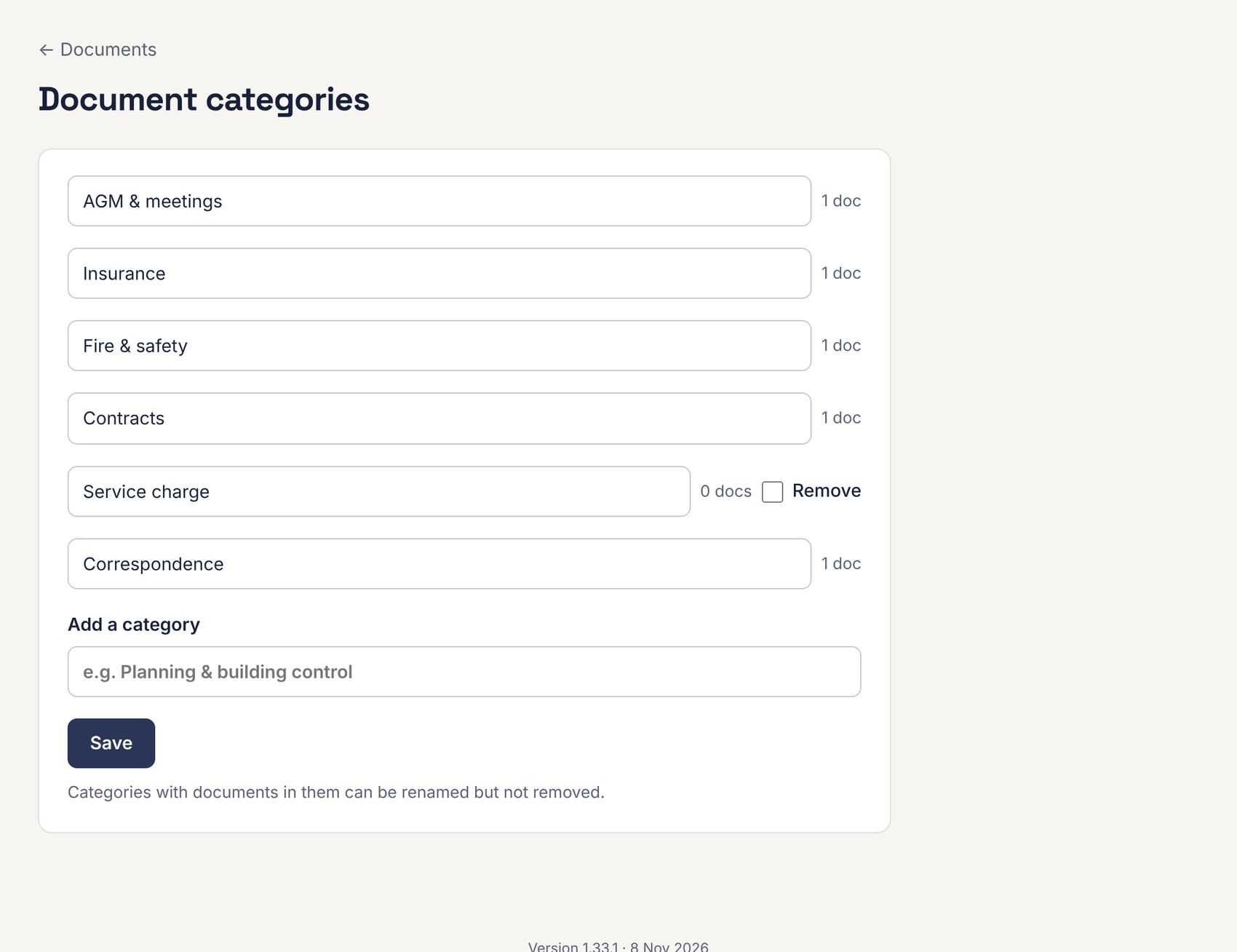
Press Categories on the Documents page to rename categories, add new ones, or remove ones with no documents.