Help › Evacuation plans (PEEP)
Evacuation plans (PEEP)
PEEP records residents who may need help to evacuate in an emergency, and produces the information the fire service needs.
The Fire Safety (Residential Evacuation Plans) (England) Regulations 2025 require the responsible person in a high-rise residential building to offer residents who may need help a person-centred fire risk assessment and, where needed, a residential personal emergency evacuation plan (PEEP). They must review it at least every 12 months, and share key information (the flat, floor and help needed) with the fire service through the secure information box, but only with the resident’s consent.
Recording a person
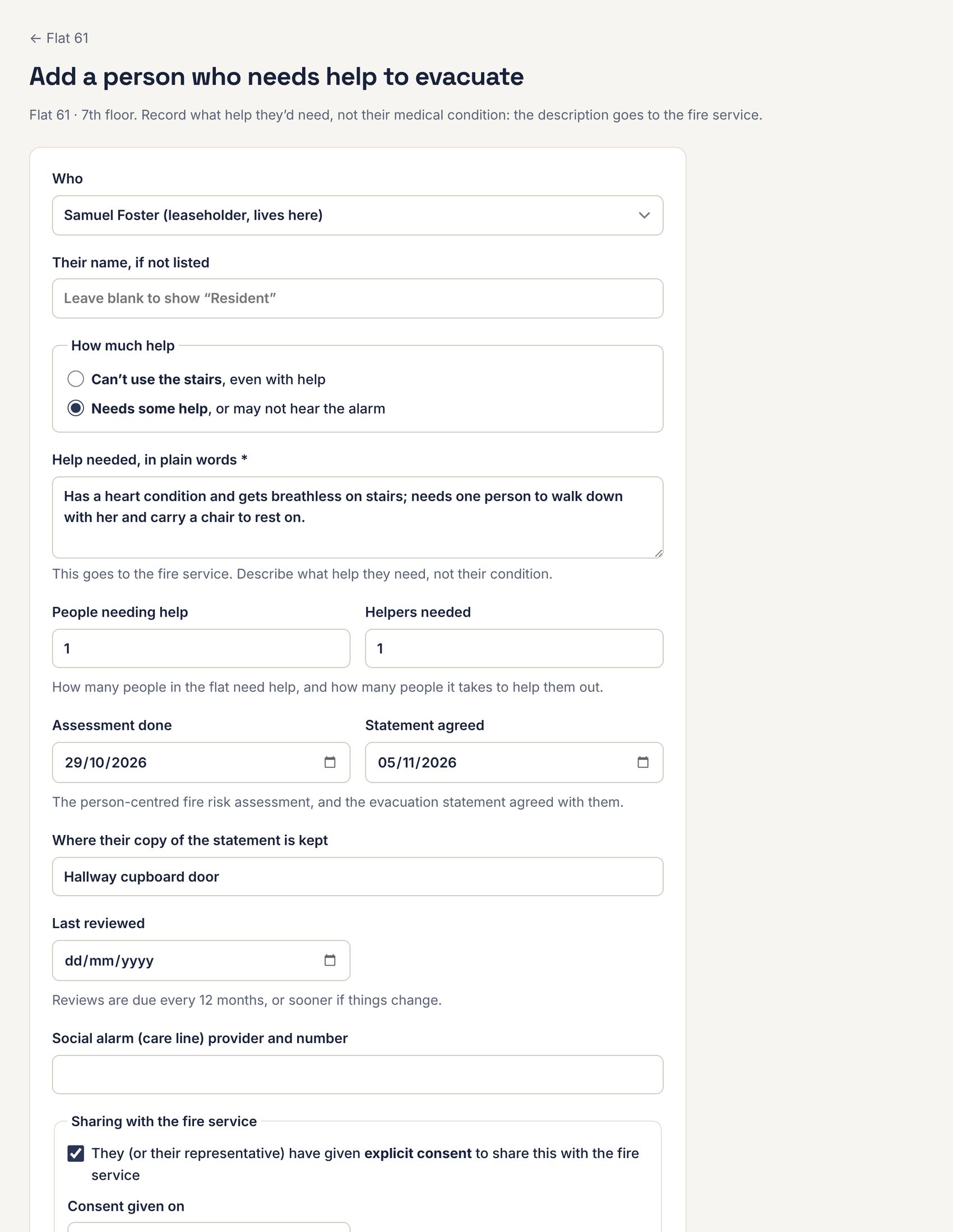
- Open the flat and press Add a person in the Evacuation (PEEP) panel.
- Under Who, choose the leaseholder or tenant, or someone else at the flat (type their name, or leave it blank to show “Resident”).
- Under How much help, choose Can’t use the stairs, even with help or Needs some help, or may not hear the alarm.
- Describe the help they’d need in plain words. This goes to the fire service, so describe what help they need, not their medical condition.
- Fill in how many people need help, how many helpers it takes, when the assessment was done and the evacuation statement agreed, where their copy is kept, when it was last reviewed, and any social alarm (care line).
- If they agree to share it with the fire service, tick the consent box and enter the date.
- Use Private notes for anything that must never be shared.
- Press Save.
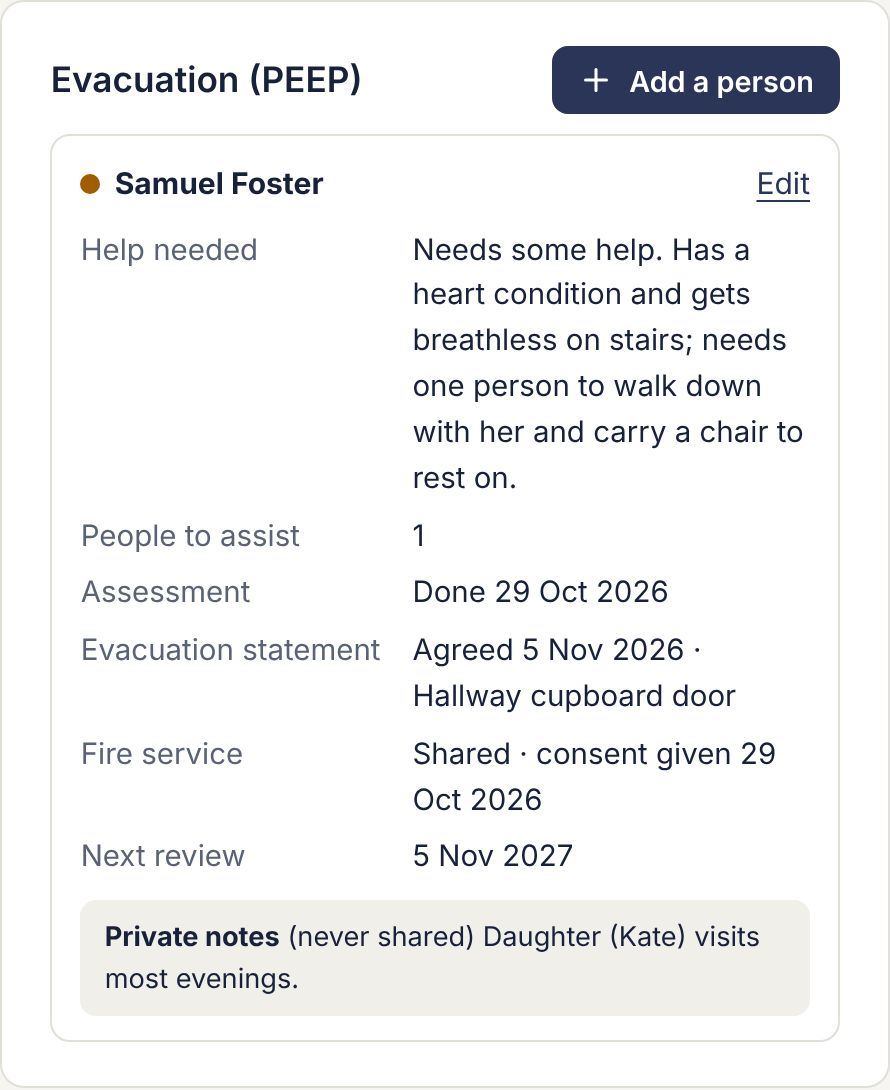
Press Edit in the panel to change or remove a record.
The PEEP page
Go to Compliance › PEEP.
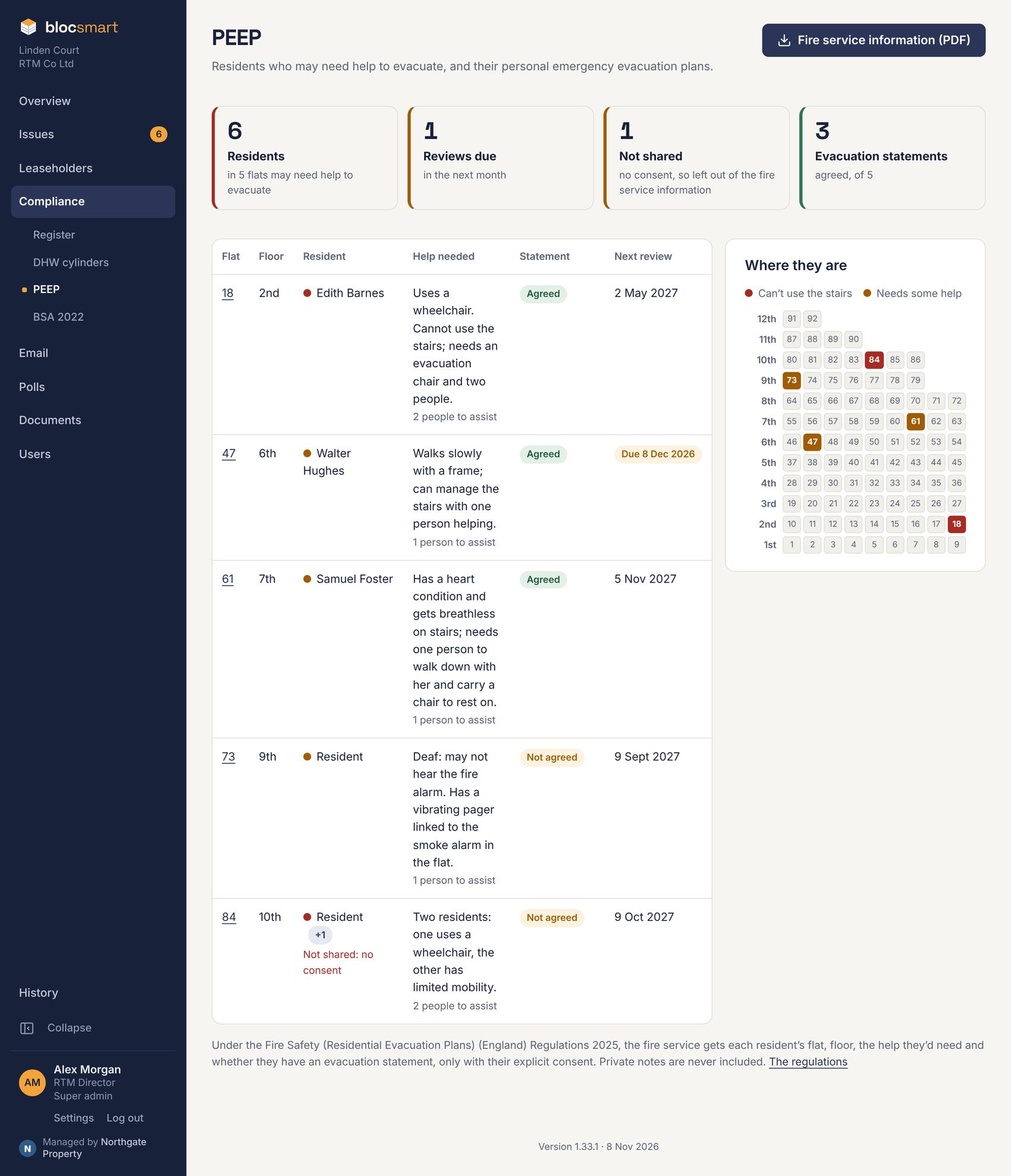
- The tiles show how many residents may need help and in how many flats, reviews due in the next month, people not shared with the fire service (no consent), and evacuation statements agreed.
- The table lists everyone, with their floor, the help needed, whether the statement is agreed and the next review. A review is due 12 months after the latest of the assessment, the statement and the last review.
- Where they are shows each floor with the flats marked: red for can’t use the stairs, amber for needs some help.
Fire service information (PDF)
Press Fire service information (PDF) on the PEEP page to download the formal A4 document to keep in the secure information box for fire crews.
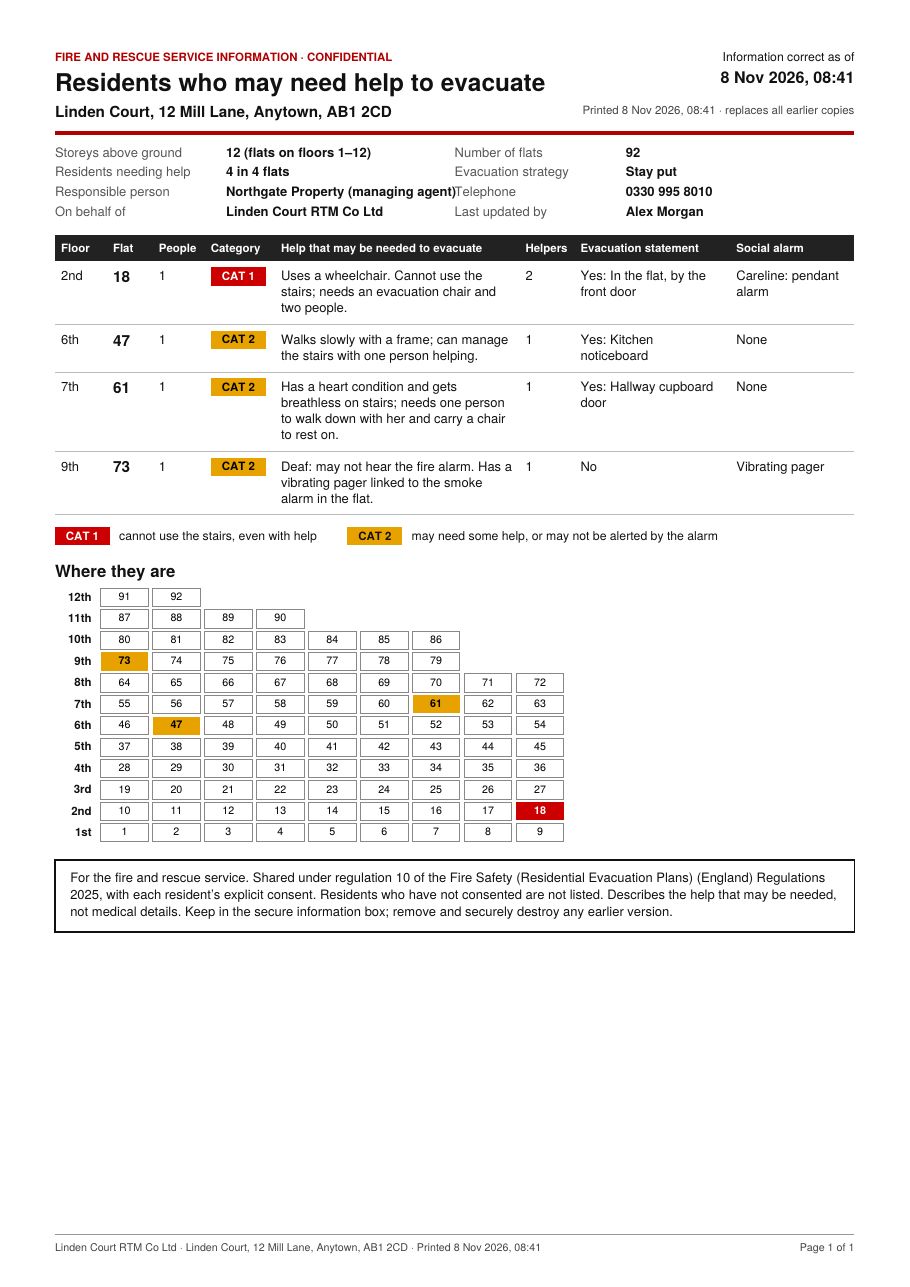
- It lists only residents who have consented, with their flat, floor, the help they may need, helpers, evacuation statement and social alarm. It never includes names or private notes.
- It shows the building’s address, storeys, evacuation strategy, the responsible person and the date it was printed. Replace the copy in the box whenever the information changes, and securely destroy the old one.
- Every download is recorded in Logins & activity.